Collections
Manage and search reference data for Enrich functions
Collections page is where you can manage and test-search data items used for Enrich functions. Use them for data such as product catalogs, vendor records, or carrier codes that should be later used for enrichment in your workflows.
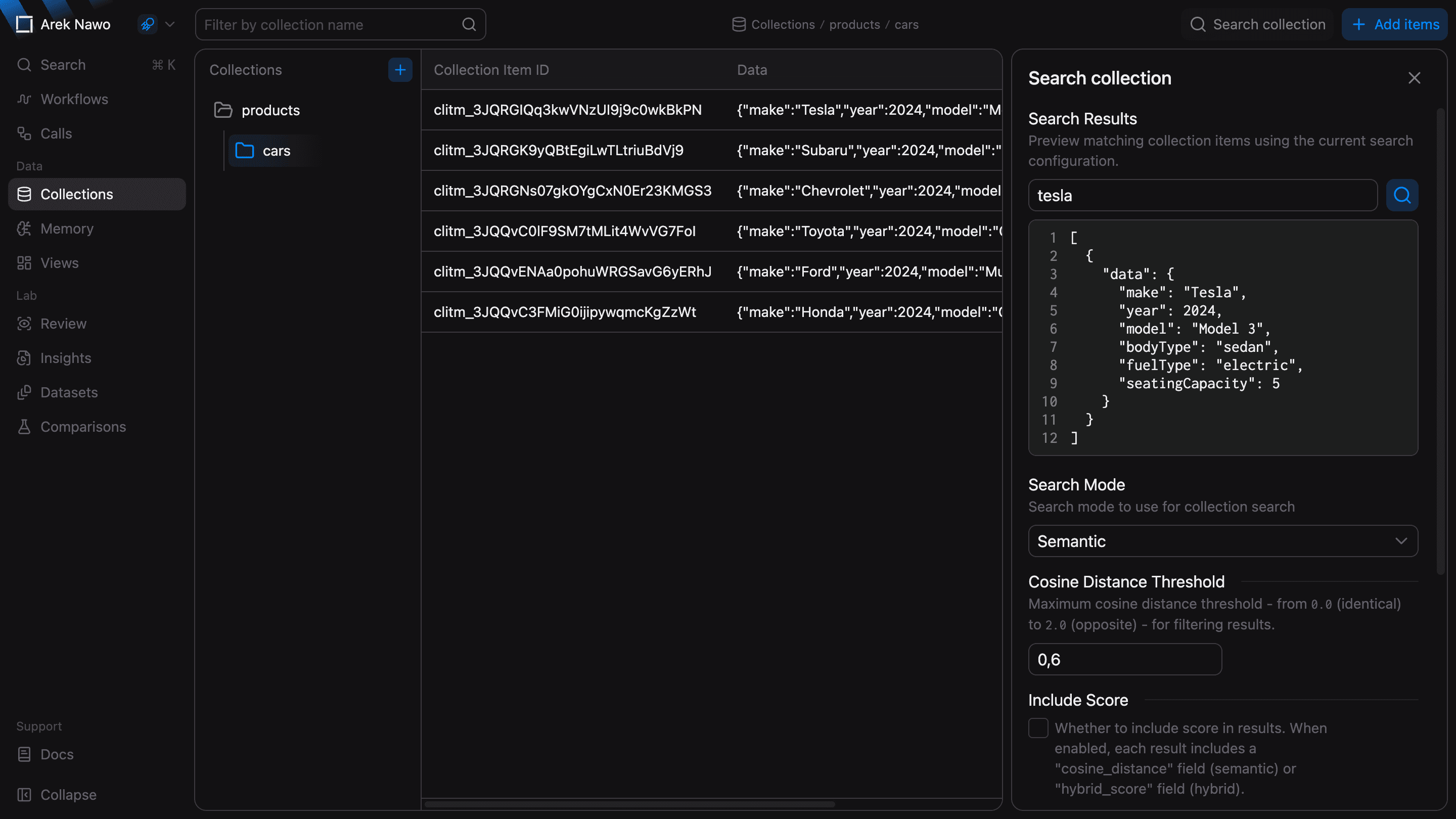
Create and browse collections
Select New Collection to create an empty collection, then add your reference data.
Use child collections to organize related data. For example, vendors.europe is a child of vendors. You can later leverage that organization via the Include Subcollections option in test search or enrich function configuration.
Add and edit items
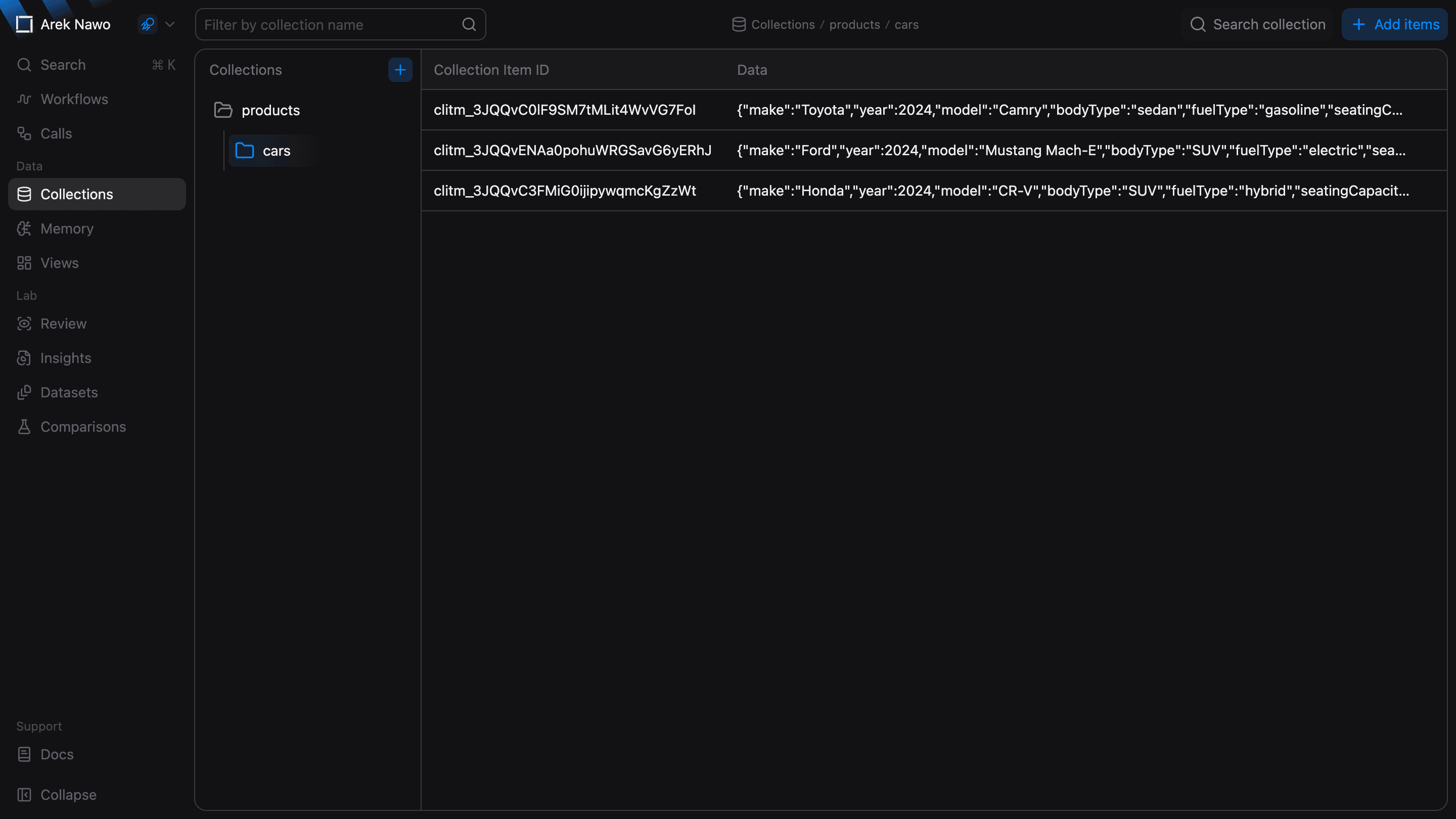
Select Add items and enter your data as JSON objects or strings. You can add one item or an array of items. To import existing data, drop a TXT, JSON, or CSV file into the editor, then check the converted JSON before you submit it.
Select an existing item to inspect or edit its data.
In Sandbox, Generate synthetic data can prepare sample items from a prompt. Review the generated JSON before you add it.
Search collection
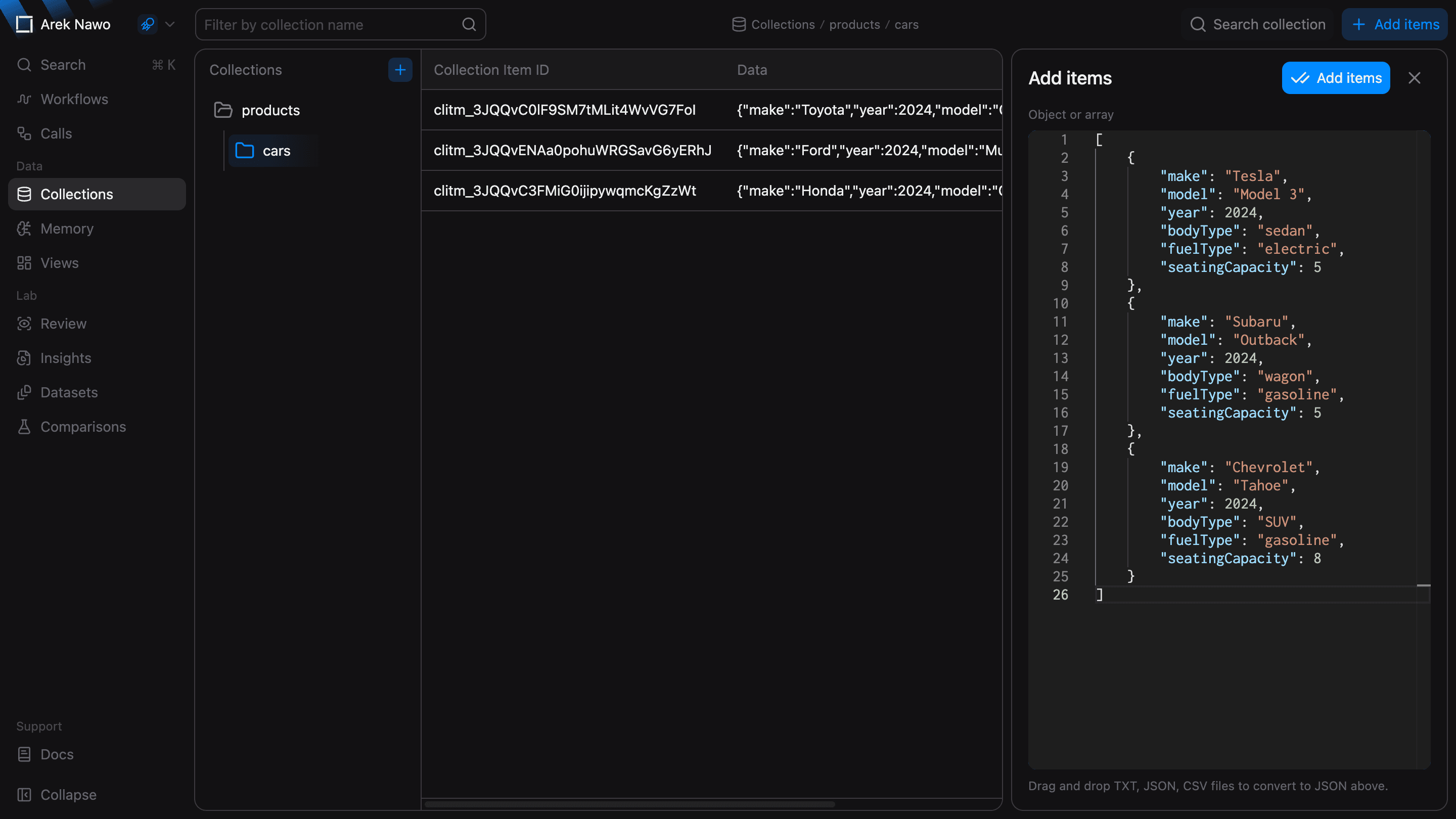
Use Search collection to check which items match a query before you configure an Enrich node in the Workflow Editor.
Choose Semantic to find items with a similar meaning, even when the wording differs. Exact finds items that contain your query text, regardless of case, which is useful for product codes or other identifiers. Hybrid combines meaning and keyword matches.