Memory
Inspect entities, documents, and relationships from parsed data
Memory connects information across your parsed documents. Use it to check where information came from and explore relationships between people, companies, and other entities.
To add document information to Memory, configure a Parse function in the Workflow Editor.
Buckets keep separate sets of Memory data, such as documents for different projects. Select a bucket to focus on that data, or use All buckets to browse them together.
Entities
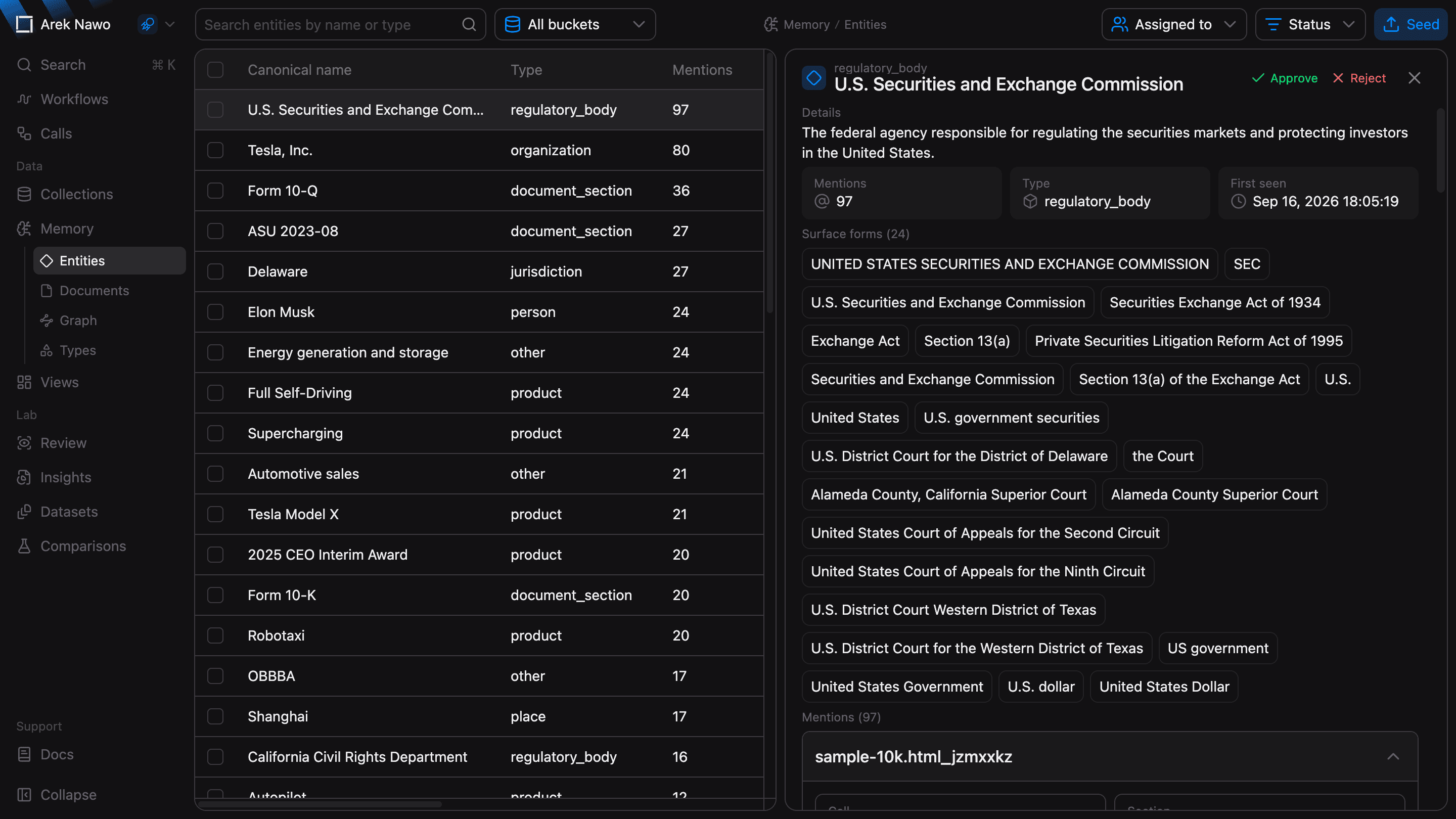
An entity is a person, company, product, or other thing mentioned in your documents. Memory can connect different names for the same entity. For example, a company's full name and its abbreviation can refer to one record.
Select an entity to inspect its Surface forms, the names used in the documents, and its Mentions, the places where it appears. Follow a mention to check the source before you approve or reject an entity that needs review.
If you already have reference entities, import a CSV with Seed memory entities. Include canonical for the entity name and type for its category.
Documents
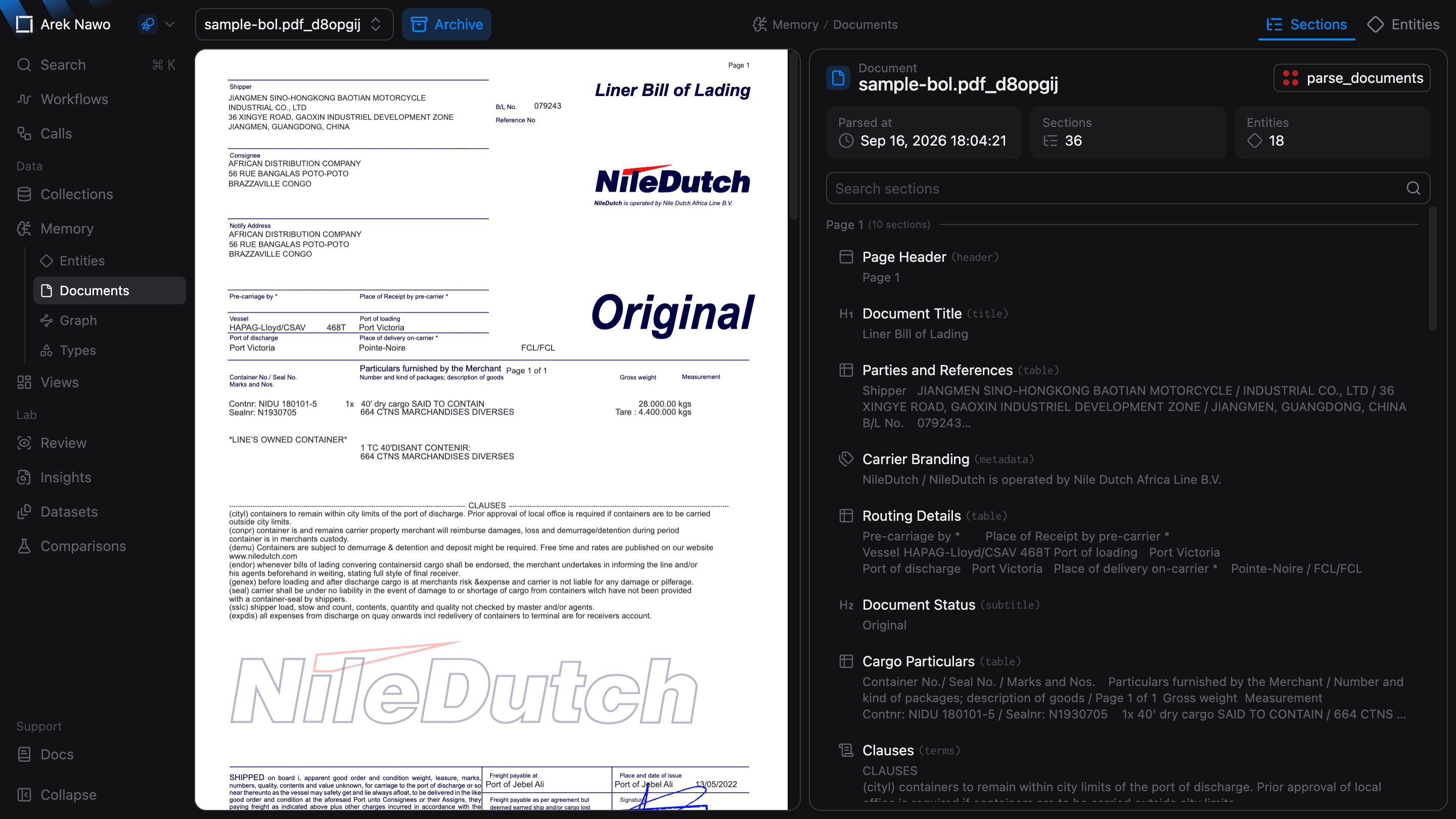
Open a document to compare its parsed sections and entity mentions with the source file. This helps you check the context behind information in Memory.
Archive removes a document and the information it contributed to Memory, including its parse output and relationships. Entities referenced by other documents are kept.
Graph
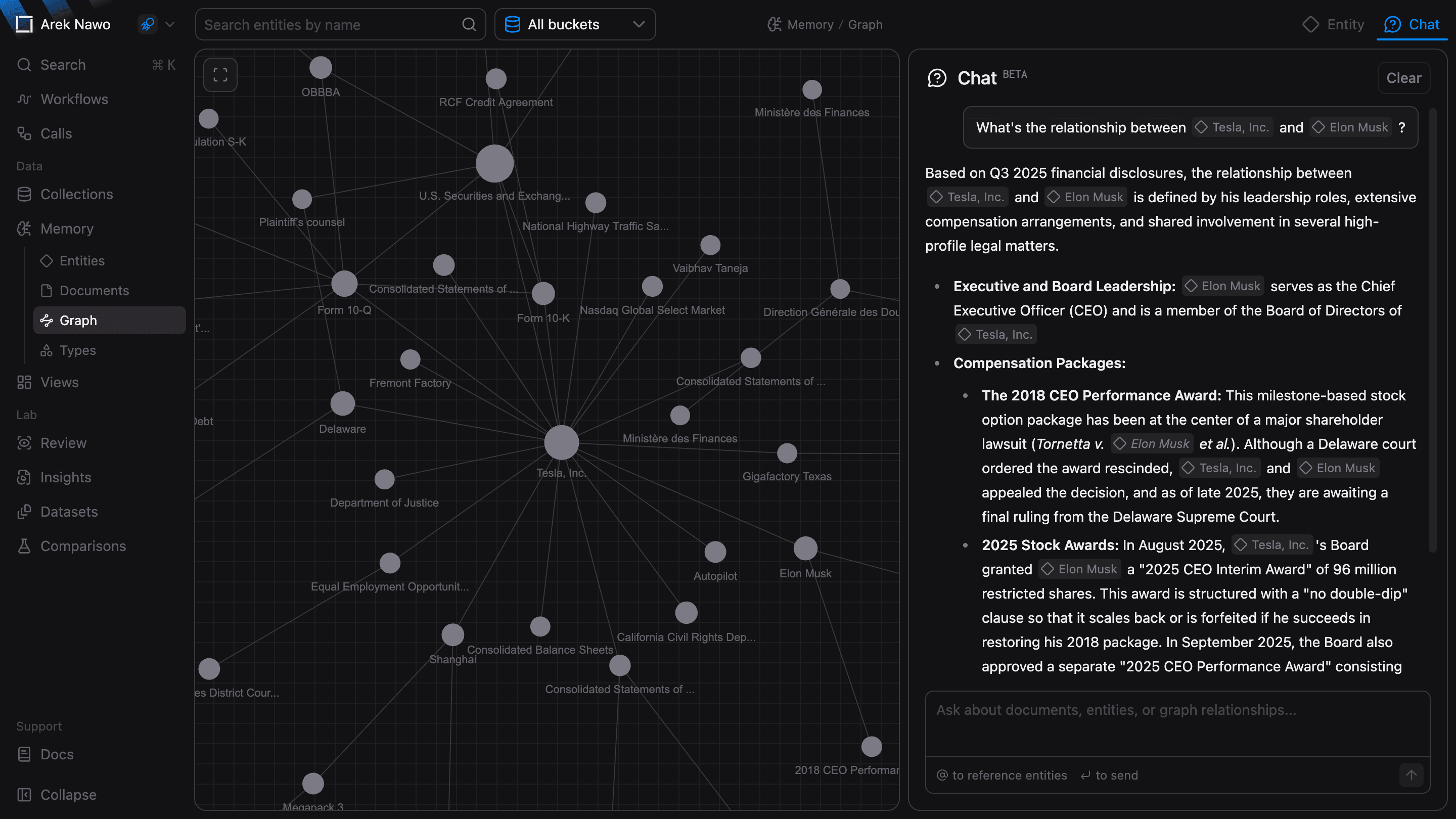
The graph shows how entities connect across documents. Select an entity to inspect it and its connections.
Use Chat to ask questions about the selected Memory data. For example, ask which companies are connected to a person or how two entities are related. Select an entity reference in a response to inspect it in the graph.
Types
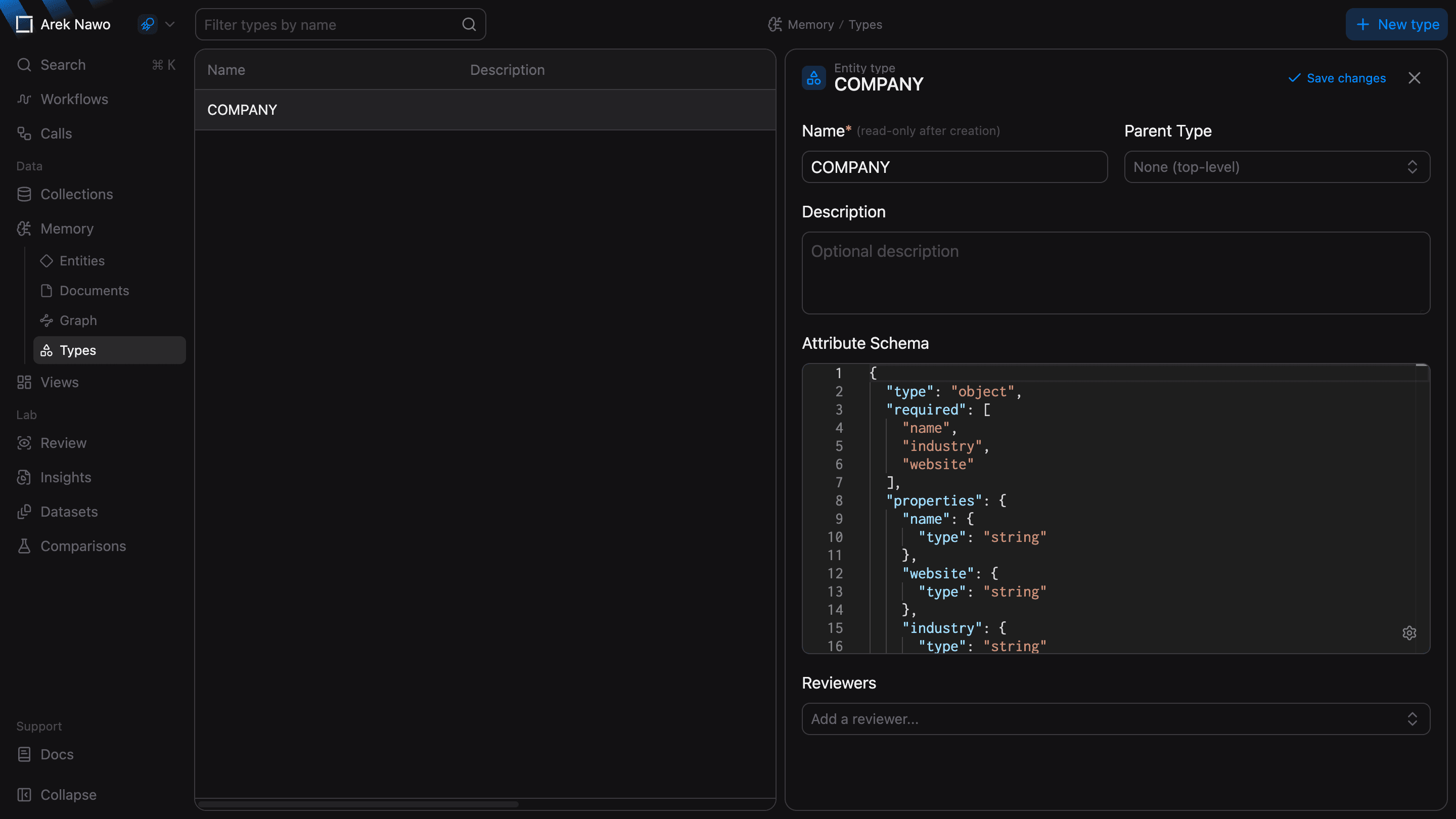
Types define the categories and attributes used to describe entities. For example, a Supplier type could have a supplier ID and country. Define these fields in its Attribute Schema.
You can also assign reviewers to a type to organize entity review.