Call Log
Global feed of every call across every workflow
Hand off to an LLM
The Call Log is a cross-workflow feed of every call that's hit your environment, sorted by timestamp. It's the fastest way to answer "did that webhook fire?" or "is anything failing right now?".
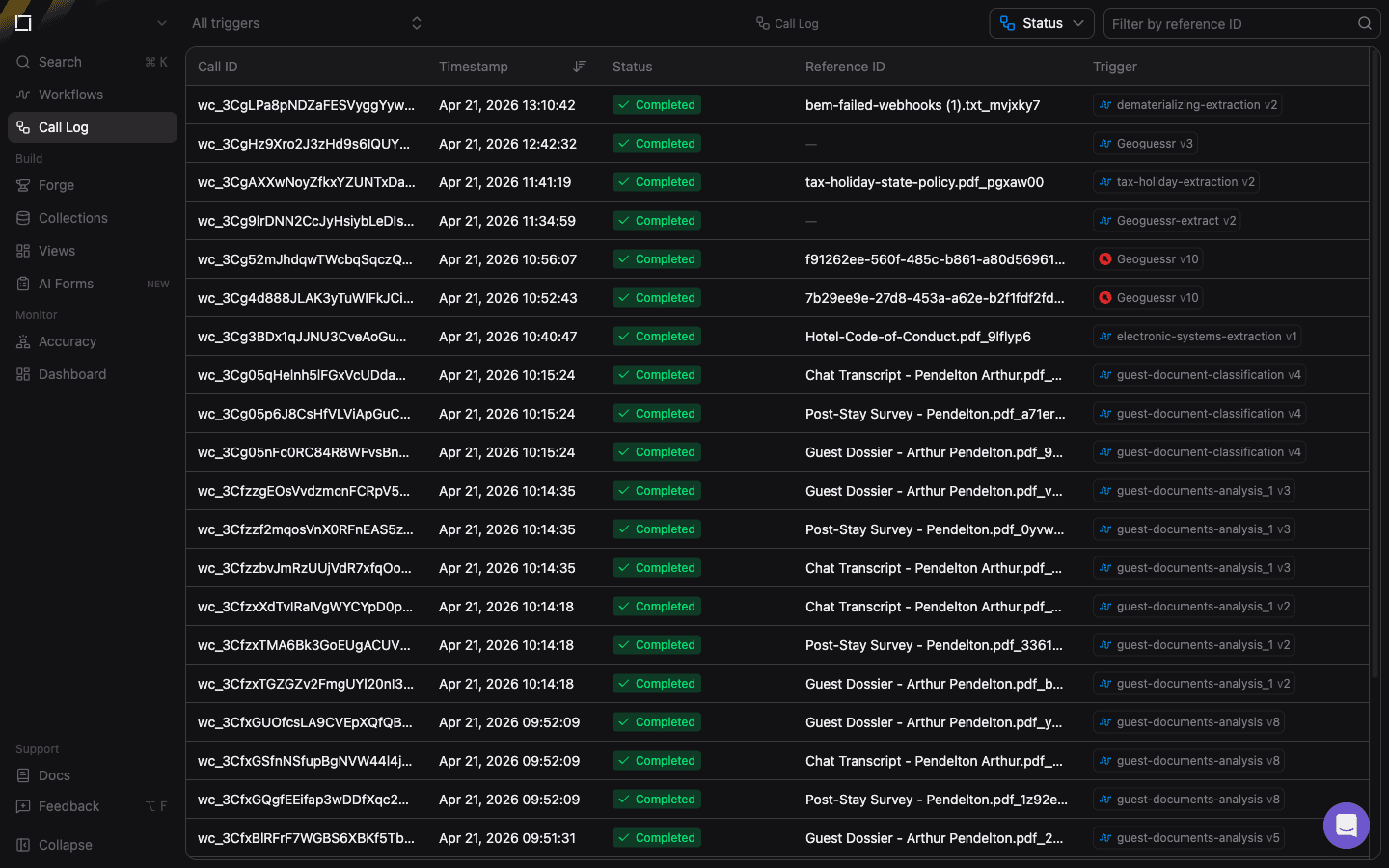
Filters
- All triggers — dropdown to scope the feed to a single workflow. Defaults to every workflow in the environment.
- Status — filter by execution status (
Completed,Failed,Running,Paused). Useful for triaging error spikes. - Filter by reference ID — exact-match search on the client-supplied
referenceID. Ideal for tracing a specific business document through the system.
Columns
Every row is one workflow call:
- Call ID — the internal
wc_…identifier. Truncated in the table; click the row to open the full call in the workflow's Calls tab. - Timestamp — when the call was received. Click the header to toggle ascending or descending sort.
- Status — colored pill showing the final state (
Completedin green,Failedin red, etc.). - Reference ID — the
referenceIDyou supplied when triggering the call (typically a filename, invoice number, or request ID). - Trigger — the workflow name and version that produced the call. Click the chip to jump to that workflow's editor.
Clicking any row navigates to the workflow's Calls view with that specific call pre-selected.