API
Manage API keys and webhook signing secrets
Use Settings > API to manage API keys for your applications and signing secrets for your webhook receivers. Only account Admins and Owners can manage these credentials.
Check whether Sandbox or Production is selected before you create or replace credentials. You can switch environments at the bottom of the settings sidebar.
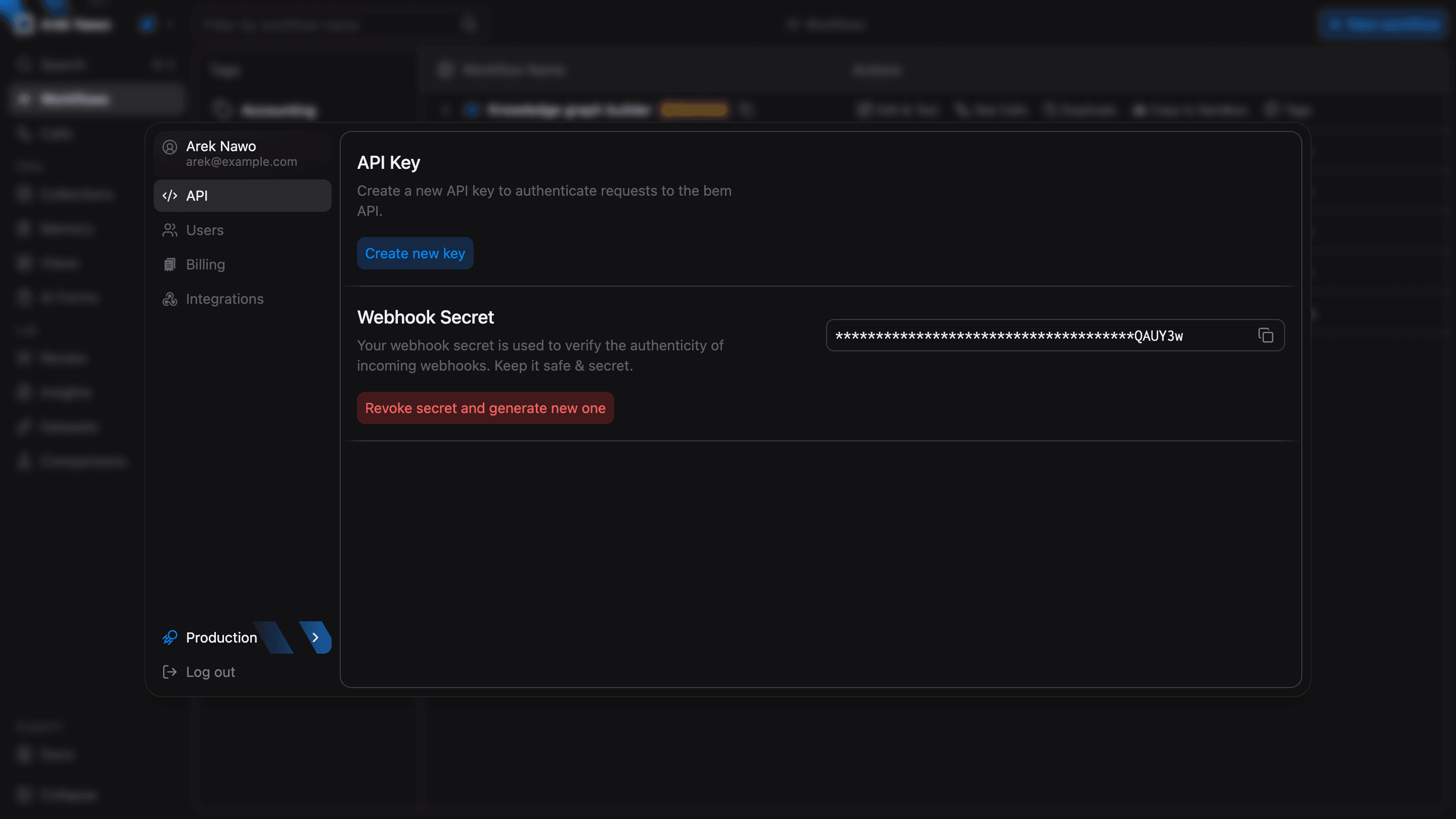
API Key
An API key authenticates requests to bem for one environment. Select Create new key, then copy and store it. The full key is shown only when it is created.
Send the key in the x-api-key header of your requests. See Authentication for examples.
Replace a key
If you need to replace a key, select Revoke key and create new one. Once you confirm, the old key stops working. Copy the new key and update each application that uses it.
An environment API key can access restricted workflows and their data. Workflow restrictions apply to account members. See Access Control for details.
Webhook Secret
Use a webhook secret to check that incoming webhook deliveries came from bem. Select Generate new secret, copy it, and configure your receiver to verify the bem-signature header.
You can copy an existing secret even when its value is masked.
If you replace the secret, new webhook signatures use the new value. Update your receiver's verification settings at the same time.
See Webhooks for delivery setup and signature verification.