Review
Inspect function accuracy and field performance
Use Review to measure function accuracy and find fields that need improvement. It compares outputs with the expected values you supply through Corrections. Both confirmed and corrected outputs count as labeled data.
Review a function
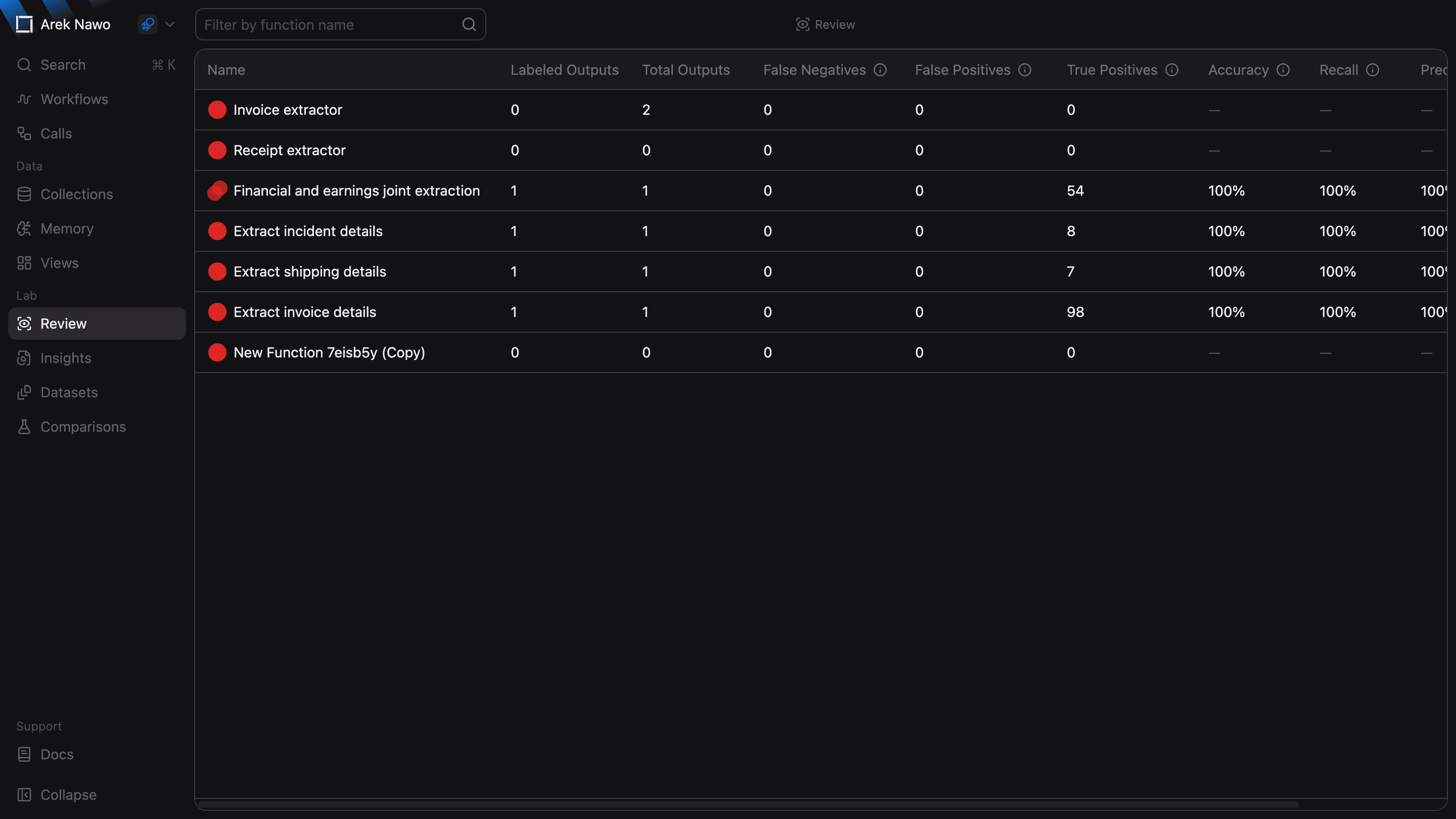
Select a function to open its review. Check the labeled output count alongside its metrics: a result based on a few examples may not correctly represent the documents you usually process.
The review uses the latest function version by default. Choose Function Version to inspect outputs from an earlier configuration. Evaluation Version selects which saved evaluation scores to use in the confidence analysis.
If the selected version has no outputs, run it first. Confirm or correct outputs, then use Run Review to refresh the results.
Read the results
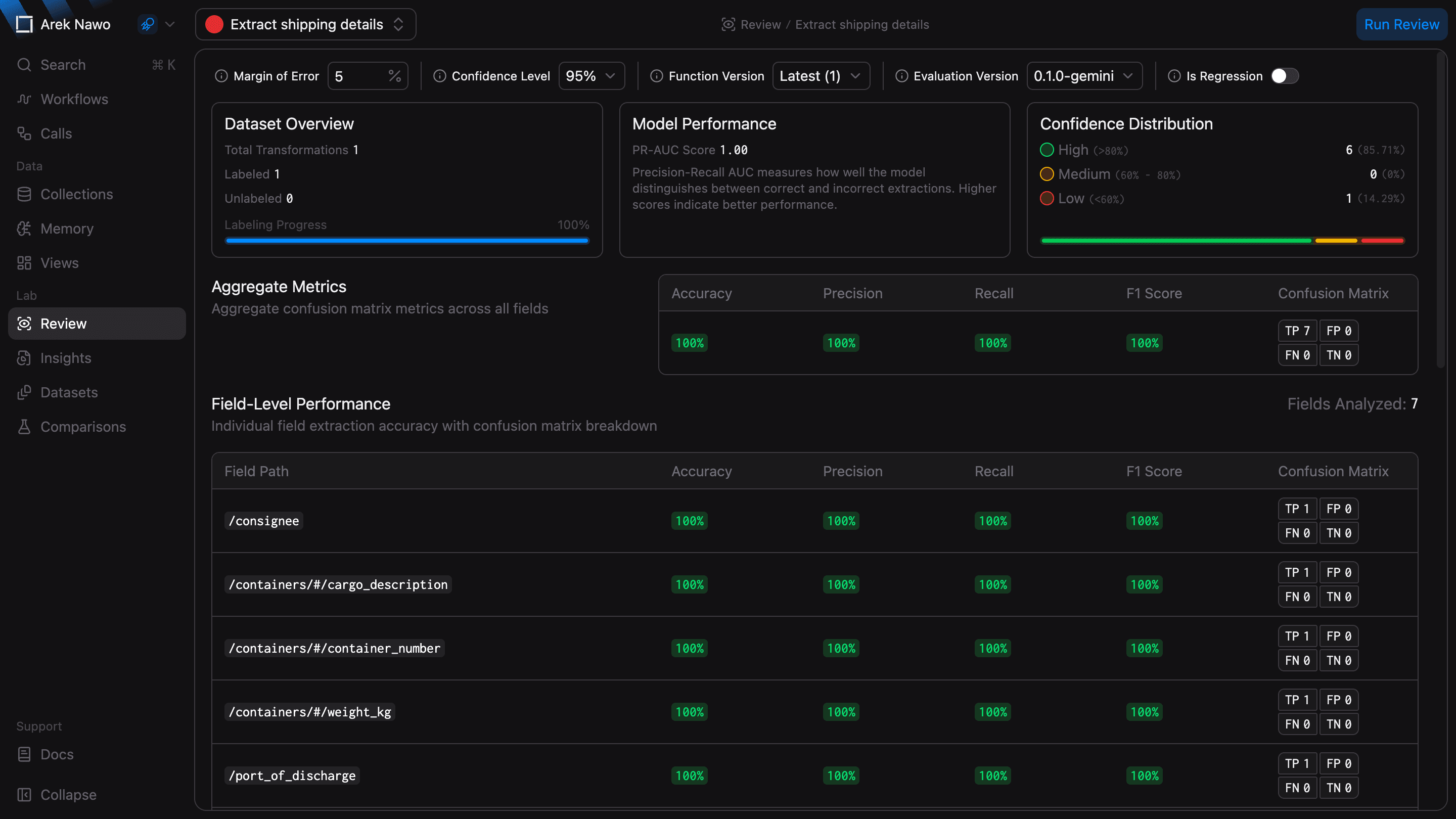
The Aggregate Metrics section summarizes performance across fields. Use Field-Level Performance to find specific weaknesses. For example, a function may extract invoice totals accurately but often miss the tax amount.
Evaluation scores estimate whether a value is correct. Use your labels to check whether those estimates match the actual results. PR-AUC summarizes how well the scores distinguish correct from incorrect fields, while Confidence Distribution groups labeled fields by their evaluation scores.
Check confidence thresholds
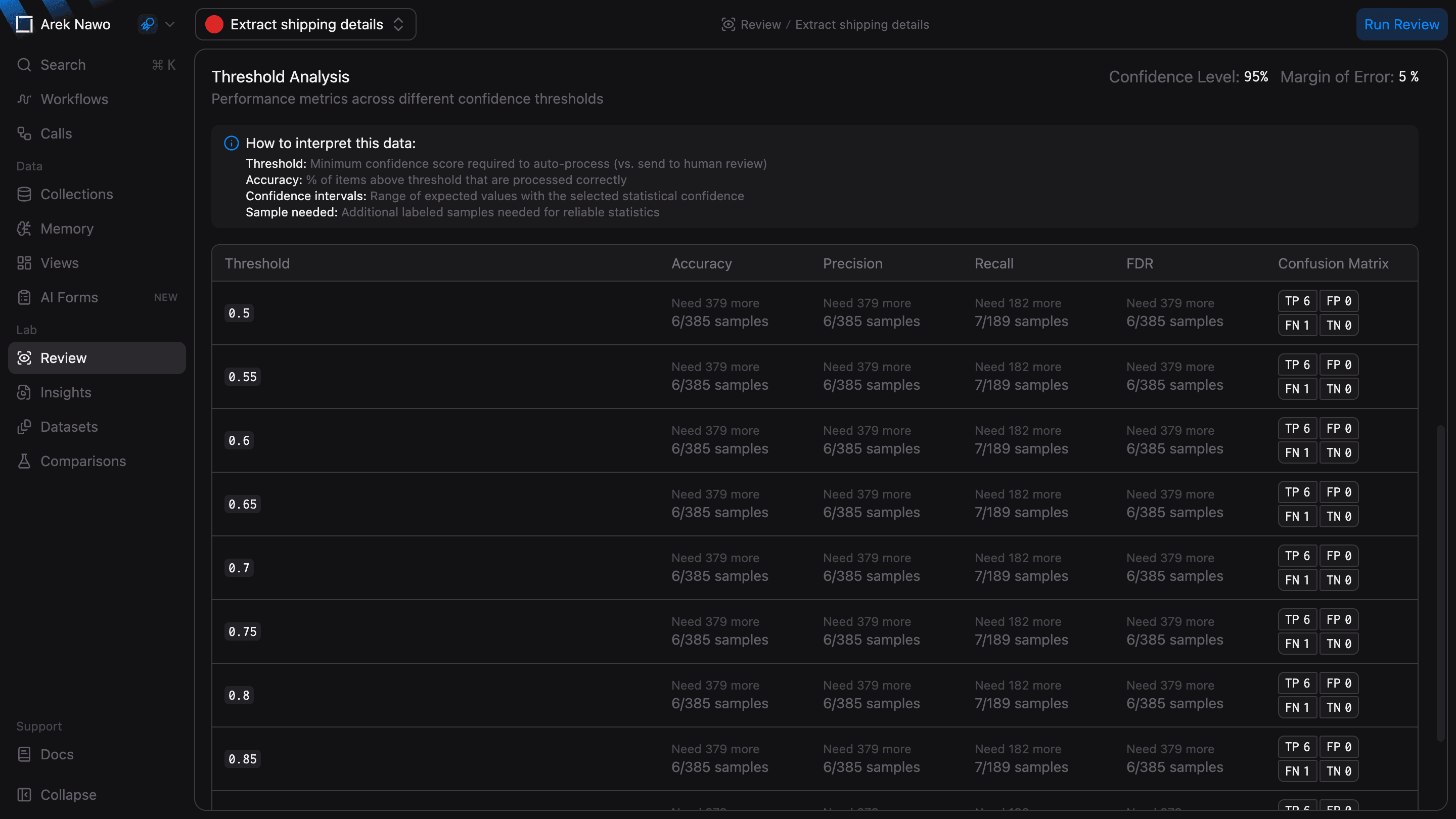
Threshold Analysis helps you choose a confidence score below which results should go to human review. Compare the estimated accuracy at each threshold with the amount of review your team can handle. This analysis uses fields that have both a label and an evaluation score.
Margin of Error and Confidence Level control the statistical estimates. A smaller margin or higher confidence level requires more labeled samples. If a result says it needs more samples, label more outputs before you use that estimate to choose a threshold.
To test a change against the same expected results, collect labeled outputs in a Dataset and use Comparisons to compare function versions.