Workflow Calls
Inspect the inputs, execution trace, and outputs of a workflow call
Use the Workflow's Calls page to see detailed results of each call and inspect individual outputs and errors.
Inspect a call
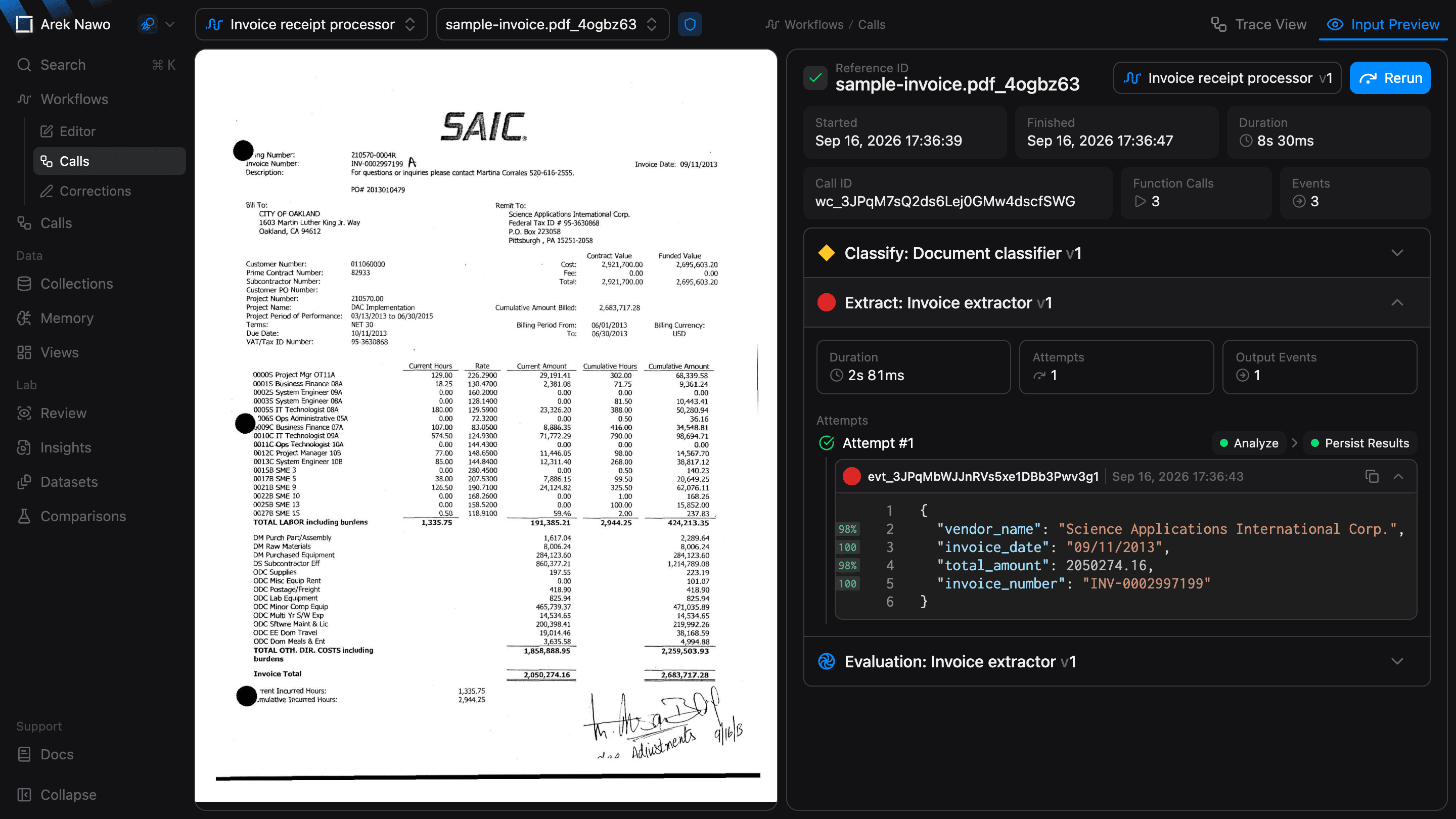
Select a call by its reference ID. Input Preview shows its source files beside the call details, so you can compare the input with the result.
For a call that is still running, the status and duration update as processing continues.
Find a slow or failed step
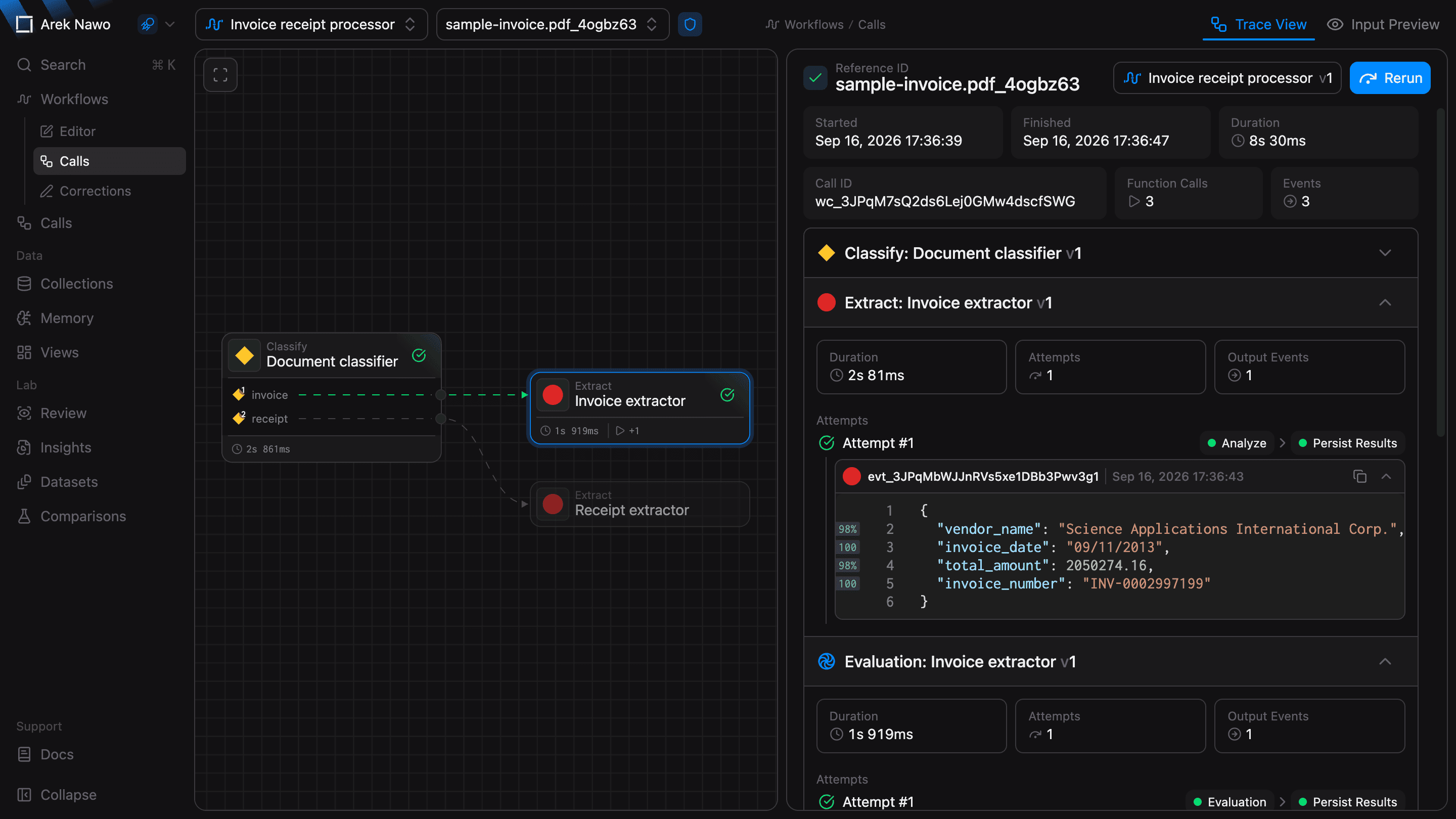
Switch to Trace View to follow the call through the workflow. The graph shows which steps ran and how long they took. Expand a function call in the details panel to inspect its attempts, errors, and outputs.
Rerun and correct outputs
If a call has failed or otherwise needs to be retried, Rerun starts a new call with the same inputs.
To confirm a result or fix incorrect values, open Corrections in the workflow sidebar. The call you selected stays open.